How check verification works: six checks, one decision.
This page is the technical deep-dive. It walks through exactly what Check EFI does in the ten seconds after a check or ACH payment is uploaded — what is read, what is validated against which source, how the fraud score is built, and what you get back.
Six verification checks, run in parallel.
Each check produces its own finding. Together they roll up into a fraud score out of 100 and a recommendation.
1. AI OCR extraction
Reads payer, payee, amount (numeric and written), date, memo, MICR routing, account and check numbers from the image — printed or handwritten — with a confidence level on every field.
2. Routing number validation
Confirms the nine-digit routing number passes the ABA checksum, exists in the FedACH bank directory, and belongs to the bank printed on the check. How routing validation works →
3. Fraud analysis
Scores image tampering, font and alignment inconsistencies, missing security features, duplicate presentments, velocity and known-bad patterns into a single risk level.
4. OFAC screening
Screens payer and payee names against U.S. Treasury OFAC sanctions lists on every verification, so compliance isn't a separate step.
5. Address verification
Validates the payer address printed on the check for deliverability, adding another consistency signal to the score.
6. ID & face match
Optionally verifies a government ID and matches a live selfie to the ID photo, then cross-references the ID name with the payee on the check.
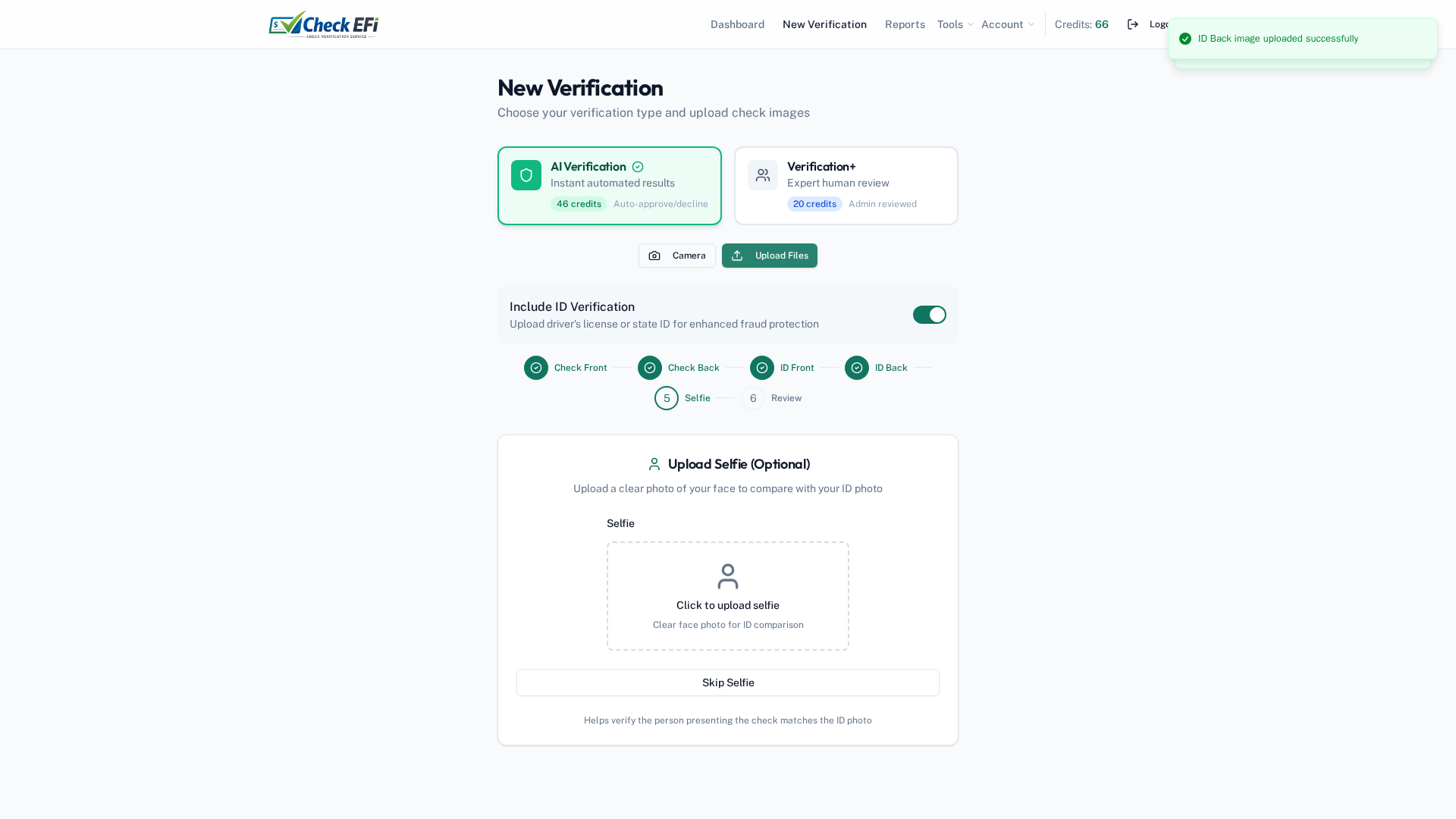
Upload, snap, or bulk import.
Capture the front and back of a check with a camera, upload existing images, or process in bulk. Add a government ID and selfie when you need identity verification.
- Live camera capture or file upload
- Optional ID front/back + selfie for biometric matching
- Guided, step-by-step review before submission
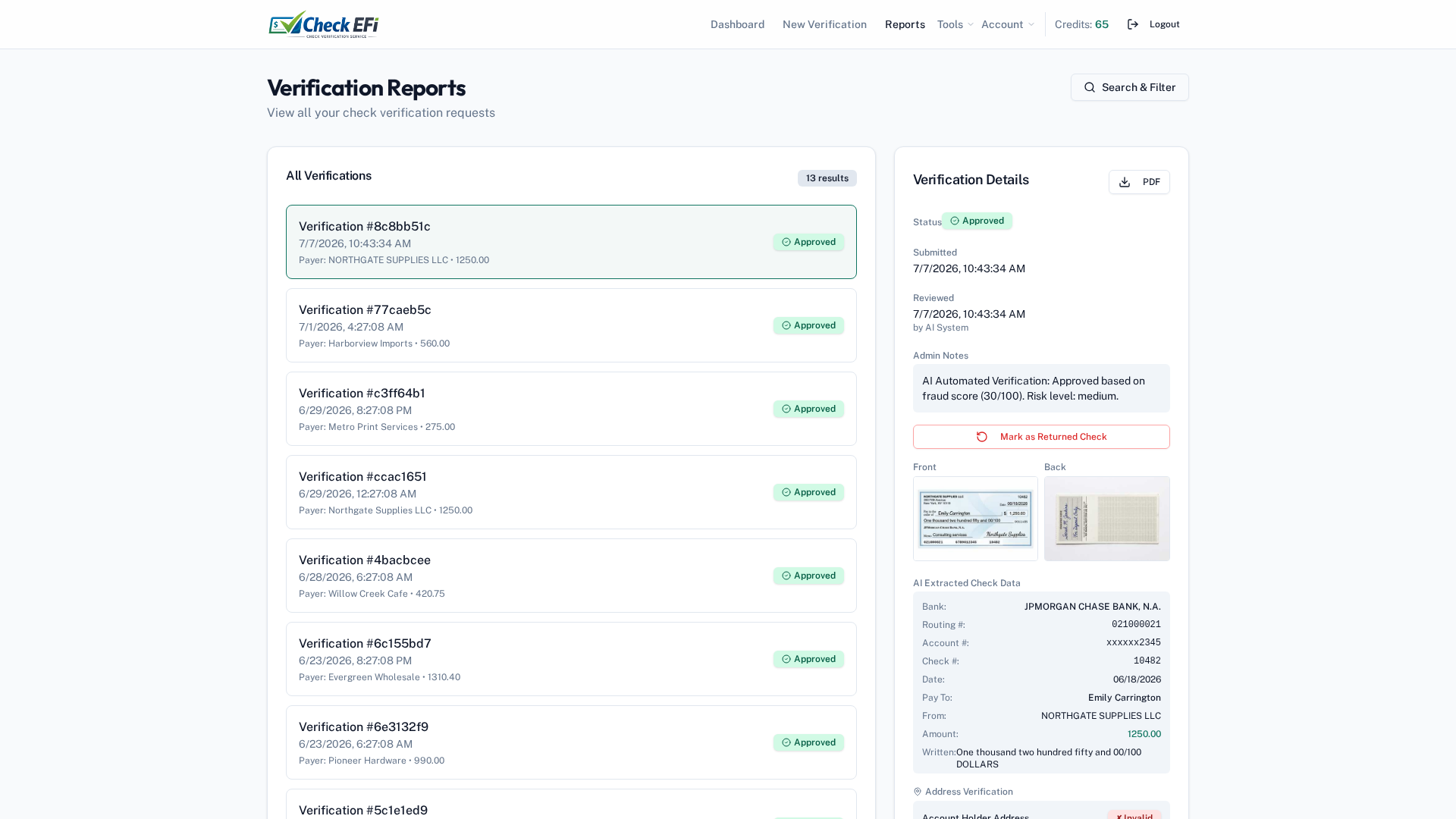
A clear verdict — not a data dump.
Every verification returns an Approved, Review, or Not Recommended decision with a fraud score out of 100, plus the full breakdown behind it so a reviewer can see exactly which check failed and why.
- Extracted check data with confidence levels
- Routing, address, OFAC and ID results in one view
- Exportable PDF report for your records & audits
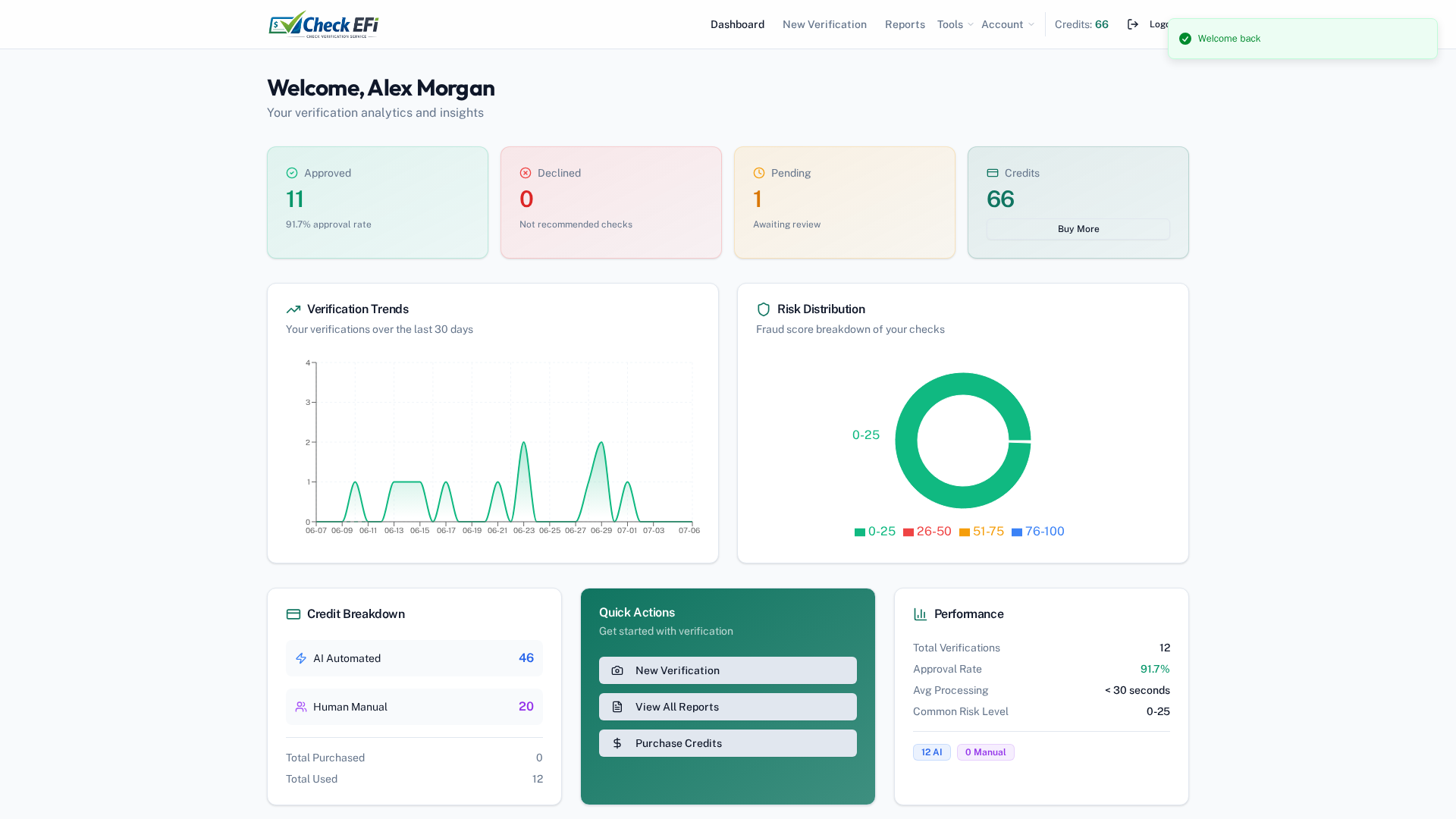
Every verification, searchable.
Your dashboard and reports keep a complete, searchable history of every check and ACH verification — with analytics on volume, approval rates, and risk distribution.
- Full history with search & filters
- Approval-rate and risk-distribution analytics
- Role-based access for your team & reviewers
The same engine, pointed at your ACH file.
Before you originate an ACH debit, Check EFI validates the routing and account structure, screens the payer against OFAC, and scores the transaction for risk. Bad account numbers become a pre-submission decline instead of an R03 or R04 return two days later. See what each ACH return code means →
See it on your payments
Check verification, answered.
How does check verification software detect a fake check?
Check EFI combines several signals: it validates that the routing number exists in the FedACH directory and belongs to the bank printed on the check, analyzes the image for tampering, inconsistent fonts and missing security features, checks for duplicate presentments, screens the payer and payee against OFAC sanctions lists, and optionally matches a government ID and selfie. The result is a fraud score out of 100 and an Approved, Review or Not Recommended decision.
Can Check EFI verify ACH payments as well as paper checks?
Yes. The same engine validates routing and account data and runs fraud scoring and OFAC screening on ACH debits before you submit the file to your bank, which helps reduce R03, R04 and unauthorized returns.
How long does a check verification take?
The full pipeline runs in parallel and typically returns a decision in about ten seconds.
Does Check EFI confirm the funds are available in the account?
Check EFI verifies the check's authenticity and the payer's risk — routing and account structure, fraud signals, sanctions and identity. It does not query a bank's real-time balance. It is designed to stop counterfeit, altered and high-risk items before they are cashed or submitted.
What do I need to run a verification?
A photo or scan of the front and back of the check. Optionally add a government ID and a selfie for biometric identity matching. Verifications can be run in the web app, a high-volume virtual terminal, or through the REST API.
Put the full verification pipeline to work.
Start free with three verifications, or book a walkthrough and we'll run it on your own checks.
Get started free Talk to sales